
How the BetOnRed casino application works across platforms
BetOnRed Android APK and iOS WebView are separate ways of accessing the casino interface. The former is an installable Android package; the second opens web content inside an iPhone container. The conventional mobile website and the progressive web app (PWA) are additional browser-based routes. In Poland, I checked the Android version on the Tecno Camon 50 Pro 5G and the iPhone version on the Apple iPhone 18 Pro. These working combinations establish technical compatibility for the particular devices.
Technical access itself does not establish authorisation to gamble in any country.
How the betonred casino app differs from a browser shortcut
The term betonred casino app can describe either a separately installed package or an icon that opens the web service, so look at what your phone actually asks you to install. A browser's Install App or Add to Home Screen command concerns the website rather than a separately distributed Android file. The distinction matters when an update is needed. An Android APK has its own version, signature and installation process. The WebView receives refreshed web content when the embedded route is reopened, while a Safari shortcut retains its own browser route.
| Mobile route | How it opens | Update behaviour |
|---|---|---|
| Android APK | Installed Android package opened from its icon | Matching package and signature required for an APK update |
| iOS WebView | Web interface opened within an iPhone container | Web content refreshes when the container is reopened |
| Android PWA | Website installed through Chrome's Install App menu | Browser-served web content |
| iOS browser shortcut | Safari Share → Add to Home Screen | Website accessed through the Safari route |
The Polish interface is among 22 configured language locales.
Currency settings serve a different purpose: the checked account could display PLN alongside EUR, USD, GBP, CZK, NOK and cryptocurrency, but the available payment methods are governed by the cashier's own account and method conditions.
Safe installation and updates
Use only a distribution route belonging to the operator and distinguish file installation from browser installation before confirming anything on your phone; a home-screen icon cannot change an existing access restriction.
What to check before a betonred casino app download
Before downloading an APK, verify the operator's distribution channel and check device compatibility and available storage. Android APK v1.4.9 is an 8.62 MB download (approximately 8,620,000 bytes or 8.22 MiB), which refers to the package file alone rather than the storage occupied by its installed components and local data.
The compatible technical configuration uses local build 10409, with minSDK 29 (Android 10), targetSDK 35, compileSDK 36 and the arm64-v8a architecture. Each parameter has a different meaning. The minimum SDK defines the lower system-version threshold for this build. The target and compile SDKs relate to its development configuration and are not minimum OS requirements. Treat the checked architecture and Android threshold as properties of this configuration rather than all future packages.
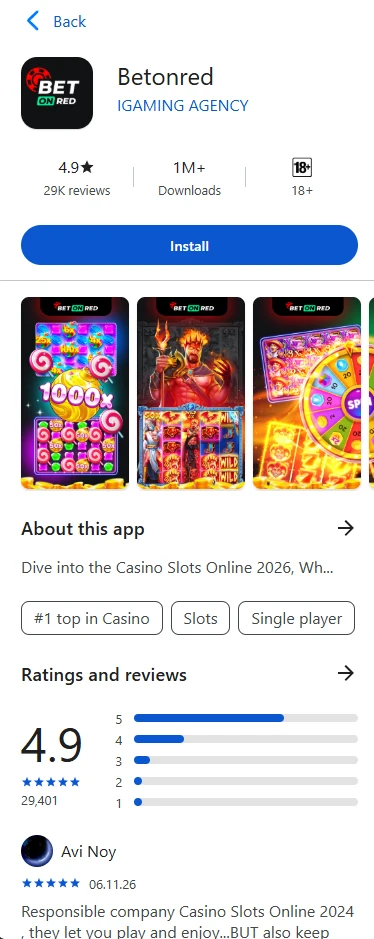
If you are evaluating a betonred casino app download on an eligible device, use these checks before opening a file:
- Identify the application distribution channel as belonging to the operator. Do not treat a result from an unfamiliar download site as the original package.
- Check the version and the file's package and signing information against the operator's approved distribution. A familiar name, icon or file size is not proof of authenticity.
- Compare your phone's Android version and processor architecture with the particular compatible configuration. Check the storage available for installation, separately from the download size.
- Read the Android installation prompt. Continue only if the origin and package match, and do not override security warnings to force an installation.
- Once an authorised package has been installed, open it normally. Use the account sign-in information you already use for the service, rather than creating another account to match the new icon.
The compatible Android configuration identifies a touchscreen as required but does not require a camera for the basic application. A camera becomes relevant for document capture or an automatic identity check, rather than for viewing the lobby.
How the betonred casino apk is updated
An update to the betonred casino apk must have the same package identifier and signature as the installed APK. Check both through the recognised distribution channel before installing the update.
The displayed release number alone does not establish that an APK is genuine. If the update matches, it changes local application files without creating a new server account. The account remains on the server. If your session has expired, use the regular mobile login flow and complete any second-factor request that appears.
iOS WebView and a Safari shortcut
On the iPhone, WebView v6.4.2 identifies the integrated web environment. The checked device ran iOS 27. Safari 27.0 was a separate browser configuration, so its behaviour must not be included in the observations of the embedded environment. WebView content refreshes on reopening the embedded route. Updating through the App Store was not part of that method.
Safari's option to add the website to your home screen creates a separate browser shortcut, even though the resulting icon looks like an application.
If you prefer the browser installation option, the documented steps differ by platform:
Android, via Chrome
- Open the service's recognised website in Chrome, provided your access is permitted.
- Open the three-dot browser menu and select Install App.
- Select Install to confirm the web app installation when the option is offered.
iPhone, via Safari
- Open the website in Safari.
- Tap Share and scroll down to Add to Home Screen. The iOS 26 interface may place Share inside the three-dot menu.
- Select Add to Home Screen to create the shortcut.
If the menu is not offered, do not substitute an unofficial installer; the ordinary browser interface is a separate option and remains subject to the service's age, identity and geographic conditions.
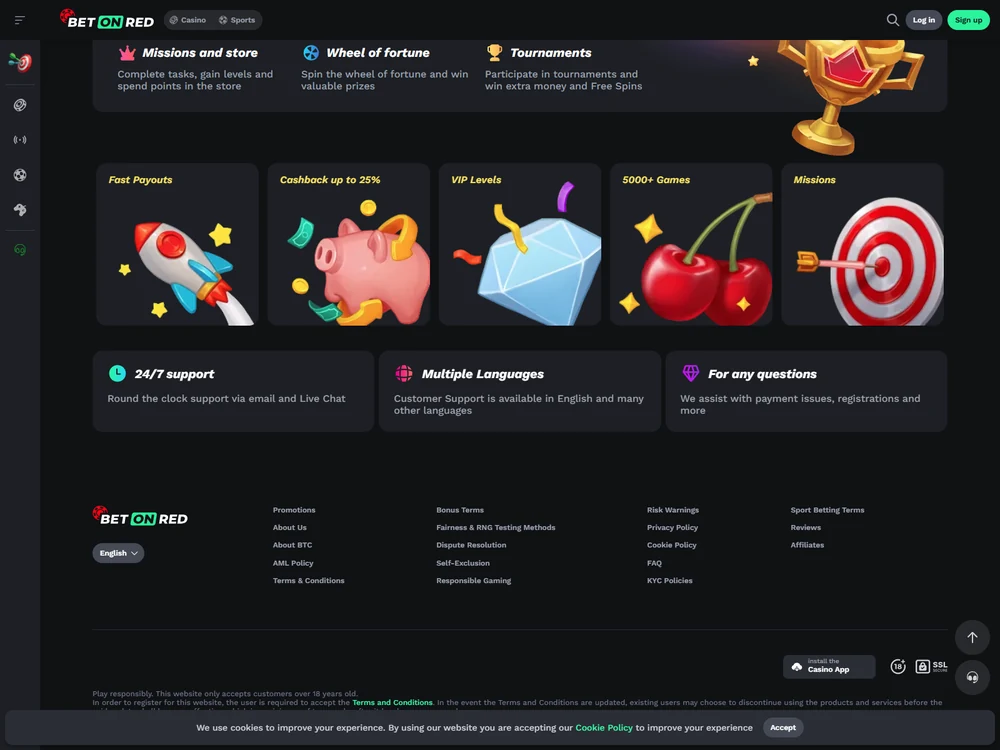
For desktop Chrome on Windows or Mac, Install Casino App in the address bar, followed by Install, represents another browser installation route, not a requirement to download a desktop software package. On Android, the separate browser comparison used Opera 107.5.12.
Android startup speed, reliability and resource use
The APK reached an interactive lobby in 6.04 seconds on average in my Android cold-start series, measured until an interaction and access to the search control were possible rather than just until the loading screen appeared.
Seven cold starts on the same phone
I measured seven launches on the Tecno running Android 16 and HiOS 16, connected to 44 Mbps Wi-Fi. Between attempts I closed the application process, leaving its disk cache in place. The interval ran from the tap on the APK icon to the interactive lobby.
| Launch | Time to interactive lobby | Result |
|---|---|---|
| 1 | 6.3 s | Success |
| 2 | 6.5 s | Success |
| 3 | 3.6 s | Success |
| 4 | 5.9 s | Success |
| 5 | 9.5 s | Success |
| 6 | 4.5 s | Success |
| 7 | 6.0 s | Success |
| Mean | 6.04 s | 7/7 successful |
| Median | 6.0 s | 0/7 errors |
The seven intervals totalled 42.3 seconds; division by seven gives the mean to two decimal places, and the 3.6–9.5 second range illustrates how much the launch time can vary even under a consistent network condition.
My connection-interruption check produced a different result: the first lobby request failed when the Wi-Fi connection was lost, then a single retry succeeded after it was restored. That means one error in a separate two-attempt scenario. The seven stable-network starts remain a discrete set of measurements. Combining them into a nine-launch average would hide the difference in network conditions. The series also stops at the lobby; it measures neither cellular latency nor the time to load a game.
Neither warm starts with the process still running nor iOS WebView or Safari sessions were part of this Android mean.
How much storage and traffic the APK actually uses
In my 30-minute session browsing the lobby and searching the catalogue, the application grew from 150 MB of initially occupied storage to 172.5 MB, an increase of 22.5 MB in local data.
| Metric | Measured value | Context |
|---|---|---|
| Initial installed storage | 150 MB | Before the session |
| Additional local data | 22.5 MB | 30 minutes of lobby browsing and search |
| Total occupied storage | 172.5 MB | After the same session |
| Network traffic | 42.5 MB | Incoming and outgoing data over Wi-Fi |
| Battery charge, start | 79.0% | Screen brightness 50% |
| Battery charge, end | 75.2% | After half an hour |
| Battery charge reduction | 3.8 percentage points | Same device and connection |
| Temperature warning | None | Room temperature approximately 21°C |
The local storage increase measures occupied space; adding the 42.5 MB of incoming and outgoing data transferred over Wi-Fi to the APK's installed size would give an incorrect footprint.
During this session I observed no system temperature warning at the stated brightness and ambient conditions. This observation concerns system thermal behaviour. It does not measure the handset's surface temperature. Browsing and searching, rather than continuous game animation, are the activities represented by the battery and resource figures. Keep the iPhone container separate from these Android measurements.
Account security, permissions and synchronisation
After authorisation, both mobile environments use the same server-held profile, although the sign-in session, permission requests and the browser used for some identity checks can differ on each device.
Login and permission handling
The sign-in interface uses your email and password. With two-factor authentication (2FA) enabled, the additional login code comes from Google Authenticator. An SMS confirmation for the phone or a sensitive request is a different procedure, as is the bank's 3DS confirmation for a card payment. The checked profile did not use fingerprint or facial recognition for sign-in.
On Android 13 (API 33) or later, enabling push notifications can trigger the POST_NOTIFICATIONS request; declining it in the checked route leaves the lobby and account history accessible.
Camera consent is a separate permission. The request appears when the selected verification form uses document capture. If you refuse that permission, a form that allows file selection can still accept an existing document image. For an automatic identity check involving the camera, however, the capture route needs the camera permission to work.
On Android, account verification may open Chrome. Inside iPhone WebView, if the form has restrictions on image upload or camera access, the route can open Safari so verification can continue there. Read the request itself, check that the browser handoff is legitimate and use the account verification guide for the relevant documents and stages.
For the conditions that apply to opening a profile separately from mobile installation, consult the registration and account guide.
What happened when the second phone was refreshed
In my synchronisation check, both authorised sessions displayed the same 80 PLN cash balance after refreshing following a card deposit. The deposited amount was also visible in the payment history. After a new sign-in and a refresh of My Bets on the second device, the accepted bet's reference and status matched the server record. The shared balance does not create separate wallets for each phone. This means you can consult an updated account status instead of relying on a screen that has stayed open since before a transaction.
In a separate welcome-offer test, I deposited the qualifying amount of 80 PLN and the first welcome promotion activated automatically without a promo code. The monetary part credited was 80 PLN and the package included 150 free spins issued on the offer's schedule. The separate welcome record showed the same wagering progress after a refresh on both devices. Progress started at zero before any bets were placed. Do not add this separate bonus result to the cash-balance example: the card transaction used in the balance check was without a bonus.
I also checked withdrawal processing, with confirmation taking 10–35 minutes in the tested scope. That stage is distinct from receipt through the selected payment method. A separate example illustrates the difference: confirmation took 22 minutes, followed by the processing and provider stages, and receipt was recorded after 38 minutes in total. This is not a universal mobile payout interval.
Local sign-out ends the particular session, while a subsequent sensitive action on the other phone in the checked two-device scenario triggered its own session-validity check. A shared balance does not mean the phones share one persistent login token; you may need to authenticate again to confirm a request.
For information about the methods, requirements and limits involved in these account operations, use the dedicated payment methods guide. The displayed amounts relate to the Polish profile used for the particular checks, not to payment availability for every reader.
Mobile web compared with the desktop interface
The desktop interface provides a useful reference for the lobby, search, account area, cashier and history; the account records themselves are shared while each route can use different controls.
On desktop, the reference system was a ZOTAC ZBOX CI649 nano (Windows 11 x64). Browser conditions covered Vivaldi 8.2.4133.89, Brave 1.97.57 and Firefox 157.0, a 1440 × 900 CSS-pixel window on a 1920 × 1080 screen at 100% zoom, and a separate layout check at 125%.
In that desktop environment the upper navigation showed a way of switching between Casino and Sports. The search route to the Gates of Olympus 2500 card from Pragmatic Play involved three interactions: open Search, enter the title and select the relevant result. Launching the game is a further action. Opening the Deposit form from an authorised lobby required two interactions, excluding authentication.
Desktop click counts help explain interface navigation. They are not mobile touch-count measurements. A title in the casino game catalogue, a web demo and a launched game in the installed APK are also distinct contexts. That is why the practical comparison focuses on parity of key account features rather than presumptions about every mobile control or game.
Troubleshooting an interrupted connection or update
If a connection is lost, the checked APK can retain its interface shell with a connection indicator but cannot send monetary commands offline, so distinguish refreshing the lobby from repeating an earlier account instruction.
- Restore the network connection before refreshing the lobby.
- For an existing account request, consult its operation status in the history before taking further action.
- If the request has already been accepted, do not submit it again merely because the previous screen stopped loading.
- If you need help, note the platform, application version, error message and operation status. Do not include your password, one-time codes or full card information when contacting support.
BetOnRed states that Live Chat and email operate 24/7. The account-help widget requests a name and email before the AI chat begins and warns that generated answers may contain errors. Select the operator assistance route for an installation or account issue that needs human interpretation. The general policy contact is [email protected]; [email protected] serves separate requests specified in the FAQ. An additional listed number, +35880005733, should not be interpreted as a guarantee of voice support.
See the customer support guide for contact routes and escalation details.
Mobile experience rating
The mobile experience earns 6.8/10. The range of access modes and reliable stable-network starts carry weight in the assessment; file verification, dependence on network conditions and an occasional shift to a system browser for identity checks reduce the convenience of a self-contained experience.
| Criterion | Weight | Score |
|---|---|---|
| Platform availability and mobile access | 15% | 8.0/10 |
| Download source and installation safety | 15% | 5.5/10 |
| Stability | 20% | 7.5/10 |
| Performance and load speed | 15% | 6.0/10 |
| Feature parity with desktop and web | 15% | 7.0/10 |
| UX and navigation | 10% | 6.0/10 |
| Login and account security | 10% | 7.0/10 |
| Final score | 100% | 6.8/10 |
Platform coverage scores well because there are Android, iPhone and web routes. However, verifying the APK manually requires more care than using a browser shortcut. The stability and speed scores also reflect two different findings: all seven regular starts succeeded, but their times varied and the connection interruption required a retry. Password and 2FA protection is useful; the browser handoffs and absence of biometric sign-in in the checked profile influence usability.
The weights and calculation method are explained in the rating methodology.
Which mobile access route makes sense
The BetOnRed casino application has a distinct Android APK v1.4.9 route and iPhone WebView v6.4.2 route, with Chrome installation or Safari shortcut as browser alternatives. Choose which technology you are evaluating before judging its download size or update process. Consider APK authentication checks, storage growth and verification handoffs when comparing the routes, and use only a permitted, recognised access route. The Android baseline of seven successful launches, an average of 6.04 seconds and a 3.6–9.5 second range gives a practical idea of startup over stable Wi-Fi. Balance and history synchronised after refresh, though sign-in sessions, second-factor requests and verification permissions remain specific to the action and device.
My conclusion is 6.8/10 for mobile experience in the Polish test context: technical compatibility alone never establishes local legal authorisation, eligibility to open an account or the outcome of a monetary request.
FAQ
Is APK installation the same as installing the website in Chrome?
No. An APK installs the Android package. Chrome's Install App command installs the web route through the browser, and does not require the APK file. Their updates and package identities are different.
Is the iPhone WebView version the same as a Safari home-screen shortcut?
No. WebView v6.4.2 is the embedded environment checked on iOS 27. A Safari shortcut uses Share and Add to Home Screen, the browser's separate route to the website.
How much space did the Android application occupy?
The APK download was 8.62 MB. The installed application initially occupied 150 MB. After 30 minutes of lobby browsing and search, it occupied 172.5 MB, including an additional 22.5 MB of local data.
Does the same balance appear on both Android and iPhone?
Yes, for the checked authorised account after refresh. Both sessions showed the same 80 PLN cash balance and the card transaction in history. Authentication and local session validity can still differ between devices.
Can you use the lobby if you decline push notifications?
Yes, in the checked Android configuration. Denying the notification request did not remove the lobby or account history. The camera permission for capturing verification documents is separate and may involve a file upload or browser handoff where supported.
How fast did the BetOnRed Android app actually load?
The median was 6.0 seconds and the mean was 6.04 seconds, from tapping the installed icon to an interactive lobby. Those results came from seven cold starts on a Tecno Camon 50 Pro 5G over 44 Mbps Wi-Fi, with preserved disk cache.