













BetOnRed online casino registration: Eligibility in Poland
BetOnRed is legally permitted to operate in Poland. In the observed Polish PLN configuration, the lobby was accessible while registration was closed. This configuration-specific restriction does not establish the registration status for every Polish profile. A Sign up label in the navigation does not override a closed application form.
The general operator footer sets an 18+ age threshold. A separate 21+ warning applies only to the regional Loss Limits configuration in which it appears. Existing account holders should use account recovery instead of making another application.
Before deciding how to create a BetOnRed casino account, establish whether your actual residency, age and existing account status permit you to apply; legal eligibility in Poland does not dispense with those individual checks or with the operator's registration restriction. Do not select another country to circumvent it.
In the observed French EUR configuration, a country restriction blocked access to the site. In the observed Czech CZK configuration, the lobby was accessible while registration was closed. See the BetOnRed licensing and market restrictions for the legal context rather than drawing a conclusion from the language selector.
BetOnRed casino registration: Required information
The form combines account credentials with contact details, personal identification fields and a selection of country and currency. Some fields are mandatory. Additional ones depend on the territory or account profile. Use accurate personal details rather than placeholders; the account terms require complete, true and correct information.
Which details belong in the form?
The Polish signup form used account credentials, country and currency, personal details and a contact number. Provide the details your own form requests, including any additional fields for your country.
- Email address to receive the confirmation link and future password recovery messages.
- A password that you will not share with another person.
- Your correct country and the currency choice displayed for your account.
- Your first and last name, date of birth and contact phone number with its international prefix.
- Any city, address, postcode, province or national identification number required by the applicable country form.
In the observed signup configuration, passwords needed 6 to 32 characters, with no required digits, special characters or mixed letter case. Choose a strong, unique password and avoid reusing one from another service.
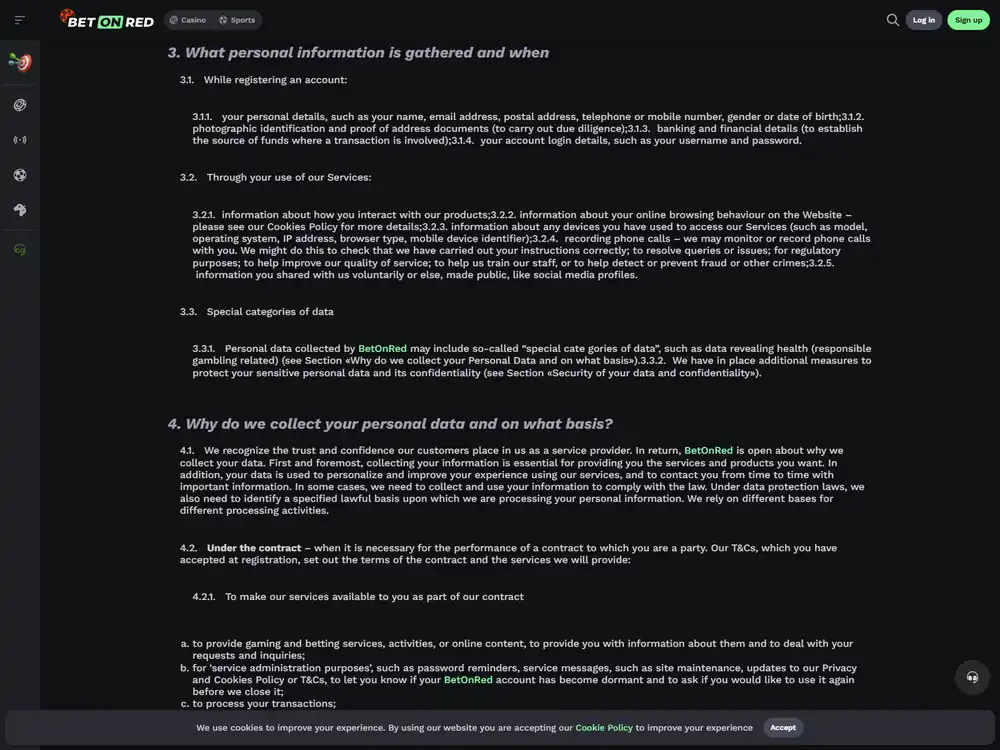
Although §1.4 of the general account terms refers to choosing a username and password, the tested registration and login route uses an email and password; supply the identifier requested by your actual form rather than trying to create a separate login identity.
The Polish onboarding scenario uses PLN in the currency selector. The account display options include PLN, USD, EUR, GBP, CZK, NOK and cryptocurrencies. Those display currencies do not constitute a list of guaranteed registration choices. BetOnRed uses EUR internally, so a non-EUR card payment may involve conversion by its processor or the cardholder's bank.
One account means more than one email address
BetOnRed casino registration follows the account restriction in §1.2: a maximum of one account per individual is combined with separate limits per household, IP address and computer. Registering with a different email cannot remove these restrictions.
The consequences can be significant: duplicate accounts may be blocked or closed and bets voided. Under the terms, returns, deposits, winnings or bonuses accumulated while the duplicate account was active are forfeited, and BetOnRed may reclaim them. If you find that you have a duplicate profile, contact the operator immediately instead of continuing to use both. A replacement account must be arranged with support, with the original account closed if a new one is opened.
The operator's account FAQ says the country tied to an account cannot be changed. If you move abroad, contact support for assistance. Under §1.7, keep your information accurate and notify the operator immediately if it changes. Player accounts cannot be bought, sold or transferred.
Required consent and optional choices
BetOnRed online casino registration requires acceptance of the Terms & Conditions and Privacy Policy; consent to receive news, offers or promotional communications is a separate optional choice. Read the documents before accepting the necessary consents, particularly the provisions on information processing, verification and account access.
The compulsory information serves several functions. It enables the operator to process your application and contact you. It is also used to meet the gambling and financial laws that apply to the account. Declining mandatory information prevents use of the service, whereas omitting the optional promo code does not make an otherwise valid form incomplete.
How to create a BetOnRed casino account: Three stages
If you're deciding how to create a BetOnRed casino account, the three stages are entering your details, accepting the required consents and submitting the form, and confirming your email. Check that signup is enabled before entering any personal information. The account still needs email confirmation after the form accepts your application.
- Open Sign up and complete the form. Enter a valid email and password. Select your actual country and available account currency. Enter your name, date of birth, phone number and other personal details where the form requests them. Stop if account creation is closed or your application is unavailable.
- Check the form and confirm the consents. Review the information before submission, read and accept the Terms & Conditions and Privacy Policy and decide separately whether you want promotional messages. Leave the promo code field blank if you want the casino Welcome Package. Submit the details.
- Verify the email. Open the confirmation message sent to the address you registered and follow its confirmation link. Complete the activation before proceeding with the account. If the email has not arrived, request another using the resend option and check the address you entered.
In my Polish signup test, where the form was enabled, the complete process from opening the form to confirming the email took 2 minutes 30 seconds. I spent 50 seconds entering the information and 40 seconds checking and submitting it; the remaining minute covered receipt of the email and following its confirmation link.
| Stage | Duration | Outcome |
|---|---|---|
| Form data | 50 sec | Details entered |
| Check and submission | 40 sec | Consents accepted and form submitted |
| Email activation | 60 sec | Confirmation link opened |
| Total | 150 sec | Email confirmed, in 2 min 30 sec overall |
This allowed route ended with confirmation of the email without uploading identity scans; it did not measure the subsequent work of proving identity, clearing a payment or waiting for a withdrawal. Its completion time cannot describe a Polish application for which the operator's registration form is closed.
After email confirmation: Your first session
In the tested route, the first session started with the registered email and password after email confirmation. The activation link confirms control of the registered email address. Verifying your telephone number involves a different action in the profile's Verify Phone interface: when requested, you use an SMS code. Recording a contact number in the form is not equivalent to completing that number check. A verification call may also be required in a subsequent KYC procedure.
I opened that session on the Tecno Camon 50 Pro 5G, then signed in again with the same credentials on the Apple iPhone 18 Pro. The tested mobile environments were Android APK v1.4.9 and iOS WebView v6.4.2. Enabled two-factor authentication requires an additional one-time code from Google Authenticator. New sessions authenticate separately; desktop browser access is another route into the account.
The two mobile sessions also showed the same 80 PLN real-funds balance after refresh in the non-bonus card-deposit test, matching the credited account record rather than a separately funded device profile. Logging in on another device is not a second registration.
An already-registered email can prompt the form to direct you to Login or Forgot your password. Follow the existing-account access instructions instead of registering afresh; password recovery sends a link to the account's email and requires a different password from the old one.
Identity verification and qualifying deposits after registration
Creating a BetOnRed player profile leaves any required identity checks before payout and a qualifying deposit to activate the welcome offer as separate steps. I completed email activation in the Polish test without uploading identity documents. The initial card deposit also proceeded without document upload; the card issuer authorised that transaction via 3DS in the banking interface, separately from email activation, profile SMS verification and KYC. Another profile can be subject to a separate ID check before deposit.
Identify the separate verification checkpoints
Section 2.4 of the account terms reserves the right to check identity on the first withdrawal; §2.14 provides for additional identity checks on deposits. Under the AML policy, online verification may lead to a request for documentary proof when its criteria are not met. Routine confirmation of an email address serves a different purpose.
In the Polish first-withdrawal test, I submitted a valid ID, a selfie and a document proving my address. The withdrawal included a separate SMS step. The withdrawal request stayed in the queue until the full document set was approved, which took 17 minutes from submission. The operator's interface gives up to 24 hours for manual document verification. Neither figure measures when the money arrives.
Check your profile details against your documents and your payment method. A verification call to the number in your profile is possible under §2.15. Payout processing remains conditional on completing the required identity checks. The account verification procedure explains which documents the operator may request.
The funds have their own conditions: the account terms require withdrawals to use the original deposit method, and active deposited amounts are subject to a minimum 3× play-through requirement before cashout. Neither payment condition is fulfilled by account creation or email confirmation.
When does the Polish welcome offer apply?
With an eligible first PLN deposit of 80 PLN or more, the Polish casino welcome automatically matches 100% of that deposit (capped at 2,500 PLN) and awards a package of 150 free spins. The signup form's promo code is optional. Using a promo code for a Welcome Package bonus prevents that bonus from being credited. The advertised three-deposit package amounts to a maximum of 7,500 PLN and 250 free spins rather than a reward for opening an account.
I confirmed the automatic activation and crediting of the first welcome stage after the qualifying 80 PLN deposit. An additional 80 PLN bonus and the 150-free-spin package appeared on the account. The first-stage package is issued at 50 free spins per day for three days. The wagering progress started at zero before any bets were placed. A different card-deposit test credited 80 PLN as ordinary real funds, with no bonus selected. These are separate transactions; registration itself triggers neither credit.
Compare the Polish minimums: 45 PLN using either Visa or Mastercard, 25 PLN for USDT on TRC20, 40 PLN in the Bitcoin route and 50 PLN through MiFinity. Even though those are the respective payment thresholds, all fall below the 80 PLN minimum for the first welcome stage. Read the deposit requirements and casino welcome terms separately, so you do not mistake payment eligibility for promotional qualification.
Ongoing control of your account
Once your account is opened, you can manage certain contact details and seek assistance with verified information or closure; the access controls, retention obligations and responsible-gambling tools attached to an activated profile are worth understanding before you submit the signup form.
Email, telephone and password changes
The Account > Profile menu allows you to update a phone number or email before verification. A change to a verified contact channel goes through support, which may confirm your control of the former and replacement contact details; this makes inaccurate sign-up details more cumbersome to correct later.
The password-recovery link in the account test had a 30-minute validity window measured from issuance. Access security also imposes a pause in the tested scenario: five consecutive failed logins within 15 minutes triggered a 15-minute pause during which no further attempts were accepted. When you encounter a restriction, use the operator's Help channel instead of submitting guesses.
Leaving the service or limiting activity
Account closure requires a support request. A distinct profile function provides self-exclusion for either six or nine months, a year, or indefinitely. You can also set limits on money deposited or staked, losses and session duration. Relaxing applicable limits can involve a 24-hour wait and these tools should never be used to sidestep an exclusion.
A closure request does not immediately erase the associated personal information. According to the account FAQ, a five-year retention obligation starts when use of the services ends. The account becomes inactive after 12 consecutive months without a login. The operator may charge €10 at the start of each month, or take the remaining balance if it is lower.
That fee concerns an unused open account, not registration.
Account onboarding rating: 5.5/10
The signup and account experience earns 5.5/10 for Polish readers. A straightforward three-stage test, documented verification procedures and established account controls are positive features; the closure observed in the Polish PLN configuration was a major access limitation in that scenario, regardless of the quick activation time on the permitted route.
| Criterion | Weight | Score |
|---|---|---|
| Signup friction and completion | 25% | 2.0/10 |
| Required-data clarity | 15% | 7.0/10 |
| KYC transparency | 20% | 7.0/10 |
| Account control and closure | 15% | 6.0/10 |
| Recovery and security | 15% | 7.0/10 |
| Mobile and desktop consistency | 10% | 6.0/10 |
| Final rating | 100% | 5.5/10 |
The calculation follows the site methodology for account onboarding rather than the casino or bonus evaluation models.
What to consider before signing up
Before signing up, check whether the operator accepts your application and whether you meet the individual requirements. BetOnRed is legally permitted to operate in Poland. Registration was closed in the observed Polish PLN configuration. In my separate Polish test with signup enabled, the three stages took 2 minutes 30 seconds to email confirmation. If permitted, supply accurate details for a single account, confirm your email and remember that the later KYC check and qualifying deposit are separate. A 5.5/10 score reflects both the clear sequence and the practical access restriction.
BetOnRed Opinie provides editorial information; it cannot create or verify a player's account, accept funds, make payments or adjudicate an operator dispute. If signup is unavailable, the operator's Help interface offers a guest support form with Name and E-mail fields before authentication, so send account business to the operator rather than providing personal details to this editorial site.
FAQ
Can I register from Poland?
You can register from Poland only if the operator accepts your application and you meet the applicable requirements. BetOnRed's activity in Poland is permitted. In the observed Polish PLN configuration, the lobby was accessible but registration was closed.
What details are needed for signup?
The tested Polish form used a valid email, password, country, currency, name, birth date and phone number. Accept the required Terms & Conditions and Privacy Policy. The fields your form requires depend on your country and profile. It may also request your address, postcode, province or national identification number.
How long does account activation take?
The completed Polish signup took 2 minutes 30 seconds: 50 seconds for the details, 40 for checking and submission and 60 for the email and confirmation link. It is a timing for the permitted route, not a promise about every registration.
Do I need to upload ID to create an account?
The tested form was completed without uploading scans, but that does not exempt you from KYC. The operator can request identity documents during a deposit or for the first withdrawal. Email verification is a different task.
Is a promo code compulsory?
No. The code field is optional. Leave it blank for the Polish casino welcome. Using a code for a Welcome Package bonus prevents that bonus from being credited. The first stage applies automatically after an eligible deposit of at least 80 PLN. Signup alone does not activate the deposit offer.
Can I create another account or change my country?
The terms impose a one-account rule, including a limit for each household, IP address and computer. Contact operator support to resolve a duplicate account. The country linked to your account cannot be changed. If you move abroad, contact support for assistance.
What if the confirmation email does not arrive?
Check that the email you entered is correct and use the verification message resend option. If the operator reports that the address is already registered, use the existing account recovery process or request support instead of signing up again.