













How to reach BetOnRed customer support
You can raise an issue without signing in: open the guest Help panel, which asks whether you have any questions and offers the AI ChatBot or contact with a manager, or use the support email.
Live Chat and AI Assistant
Open the Help panel, choose the chat option and enter your name and email address in the Name and E-mail fields. Select Start the chat. The AI option has a warning about errors. An automated response alone is not grounds to treat a payment, account restriction or settlement matter as decided.
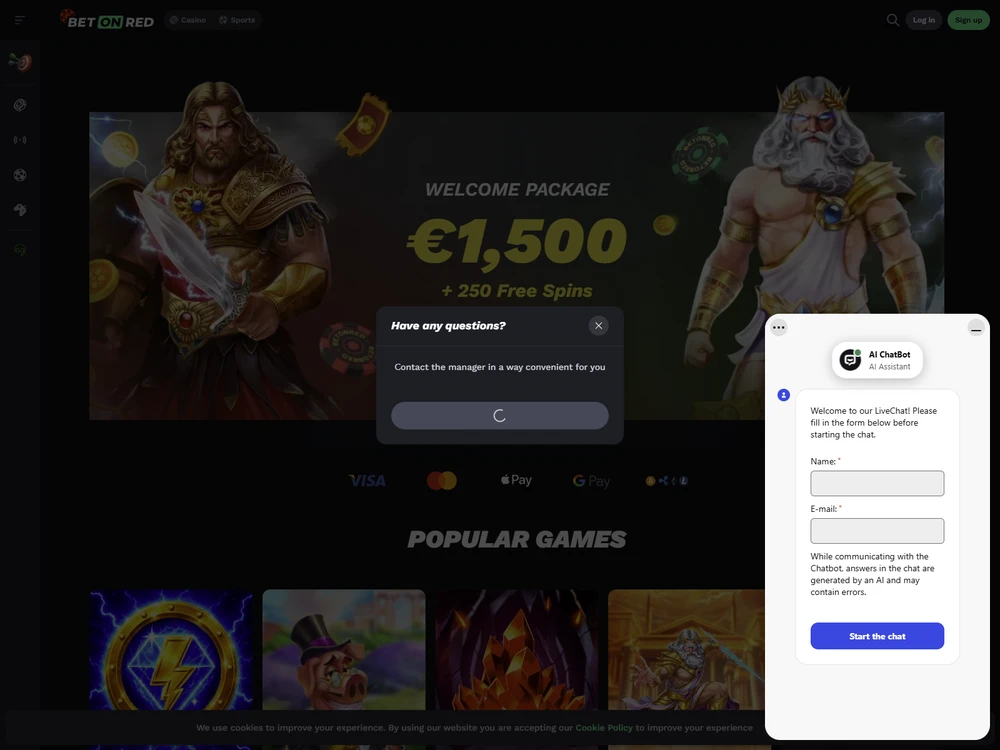
Choose the manager route if the bot cannot explain an account or transaction status that remains unchanged despite your having submitted the requested information.
Email and Telegram
The BetOnRed operator contact channels serve different purposes. Write to [email protected] for a formal complaint or unresolved account matter. Use it for a manual self-exclusion request too. The account and payment FAQ gives [email protected] for account closure and suggestions for new payment methods.
The operator also publishes a Telegram assistant bot, @BetOnRed_assistant_bot. It can be a separate point of contact; a response from the bot is not evidence that a member of staff has reviewed your account. The public configuration lists +35880005733, but publishing a number alone establishes neither the availability of voice-call support nor its opening hours. The 24/7 opening-hours claim applies only to Live Chat and email. For a documented account issue, Live Chat or the designated email lets you retain the written exchange.
The Help form uses English, and the operator advertises multilingual support. Its 22 interface language locales describe the available localisation settings, not the staffing schedule. If you prefer Polish, state that in your message. Give the label of the field or screen where you encountered the issue so the agent can identify it.
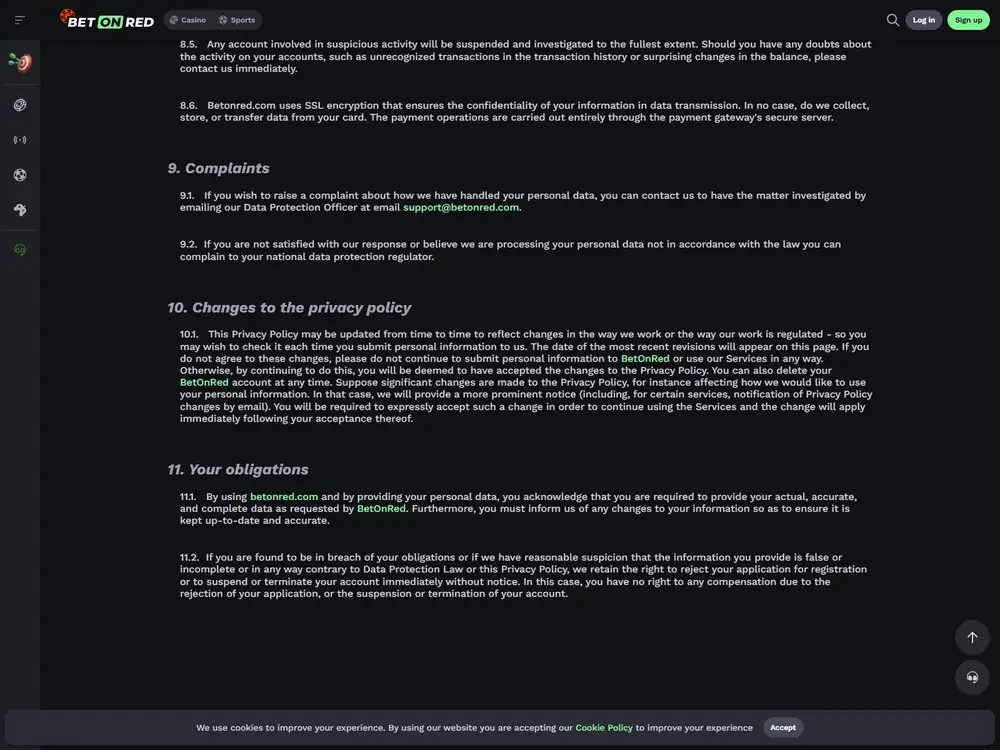
What BetOnRed customer support can resolve
Contact the operator when an account status needs explaining, an identity check or transaction has stalled, or a security or responsible gambling feature is causing difficulty: the following routes distinguish the account, verification area, cashier, payment provider and sportsbook records.
| Issue | Appropriate route | Information to prepare |
|---|---|---|
| Forgotten password or account lockout | Password reset for a forgotten password; guest Live Chat for a suspended or disabled account | Account email and any warning shown |
| Verified email or phone number change | Account support | Existing account contact and requested change |
| Delayed identity verification | Check the submission in the protected profile; contact support if manual verification remains pending after the stated 24-hour window for a complete submission | Verification status and any outstanding document category |
| Pending or failed deposit | Transactions History, payment provider and Live Chat | Transaction reference, value, currency, time and error or status |
| Pending withdrawal | Transactions History, then chat or support email | Withdrawal reference, amount and current stage |
| Missing bonus or unsettled coupon | Promotion or bet history, then chat | Offer name, qualification details or coupon reference |
| Self-exclusion | Profile controls or [email protected] | Requested exclusion period and confirmation status |
| Unresolved complaint | [email protected] | Original request reference, timeline and outcome sought |
Account access and identity verification
If you forgot your password, select Forgot your password? on the login screen. In the recovery example, the reset link is valid for 30 minutes from issue. A separate security-control scenario records a 15-minute pause after five consecutive failed login attempts within 15 minutes. If you see a pause, stop retrying. Use guest Live Chat if your account is suspended or disabled, or if you need help with the pause.
Contact support if you need to change an already verified email address or telephone number. The operator also directs you to support if you have lost access to your authenticator. Has your country of residence changed? The account FAQ says that you cannot change the linked country yourself for security reasons, so ask for assistance with the account record.
The operator gives up to 24 hours for manual document checks after all requested files have been submitted. Verify that the full set was sent before contacting support about a delay.
A new payment method or changed account details can trigger additional verification even after an earlier check has been completed. Read the account verification requirements. Submit supporting documents through the operator's protected profile area. If the upload fails, check the file format and size or describe the error to an agent instead of sending your identity files or authentication codes in an ordinary chat.
Deposits and pending withdrawals
If a payment is missing from your balance, compare Transactions History with the status at your bank or payment provider and avoid sending a duplicate before you establish the original transfer's outcome.
For card deposits, the operator's FAQ identifies insufficient funds, incomplete 3DS verification, responsible gambling limits and repeated unsuccessful attempts as possible reasons for rejection. Read the error. Do not make a fresh payment to test whether the previous problem persists. If the bank has declined the transaction, contact your issuer and raise the operator-side status with support if necessary.
If reporting a Polish local-currency payment, check the displayed PLN amount and selected route against the original transaction record. The payment methods information distinguishes documented channels from their account-specific conditions. A displayed local currency is not itself a finding of legal authorisation to offer or access gambling services in Poland.
Find out whether a withdrawal is awaiting a decision, has been approved or is waiting for the receiving provider. The operator's FAQ describes processing within 24 business hours after approval for most withdrawals. That figure does not describe a support reply. Identity checks, wagering conditions and the eligibility of the selected withdrawal method can affect the processing stage.
My withdrawal test in Poland recorded a confirmation interval of 10–35 minutes. The figure concerns approval, not final receipt or a customer service response. If a withdrawal remains pending, ask whether approval is outstanding and whether any action is required from you. The withdrawal guide explains those stages separately.
Bonus, sportsbook and technical enquiries
For an offer that has not appeared, check its qualification conditions and the corresponding entry in the bonus history. The promotional FAQ covers missing Wheel spins. Eligible spins can take a few minutes to appear. If a reload does not resolve the problem, contact support with the offer name, relevant recorded activity and the status you see.
A sportsbook settlement enquiry requires the coupon information rather than a description of the event alone. Keep the original coupon, accepted odds, result displayed in the history and any adjustment entries. For disputes concerning settlement of a sports market, §5.18 specifies a 72-hour window after settlement. See the complaints and dispute procedure for that specific route and scope.
For an interface error, identify your route: browser, Android app or iOS web application. I examined Android APK v1.4.9 and iOS WebView v6.4.2 on a Tecno Camon 50 Pro 5G and Apple iPhone 18 Pro respectively in Poland. Different builds can be involved. Give your own device's version and the function affected, because this identifies which software the support request concerns.
For personal-data corrections or marketing preferences, use the operator's support address and request the specific action rather than supplying bank details relevant only to transaction verification.
How to prepare your support request
Prepare your support request around the recorded issue, its chronology and the action you need the operator to take.
- Choose the correct channel for the issue: Live Chat for account or payment-status enquiries, or formal support email for an unresolved complaint or exclusion request.
- Enter the contact associated with your account, describe the screen or warning and specify when you encountered it. Add the time zone; for a Polish local-time report, indicate that you are using Warsaw time.
- Include the transaction, coupon or request reference where relevant. Copy the actual status and amount, including its currency, from the history. If you attach an image, mask personal and full payment details unrelated to the enquiry.
- State what you need clarified, for example whether a withdrawal is awaiting approval or already with the receiving provider. Keep your original correspondence and any acknowledgement.
- If the case moves to another department, continue with the existing reference. Confirm that the new response addresses the original record before treating the issue as closed.
Never include passwords, one-time codes, card CVCs or full card numbers in an ordinary help request; even a specific enquiry about a pending transaction does not require unrelated data from a bank statement.
Response times and support quality
Response speed depends on the channel and the issue. An automated acknowledgement is one milestone. A staff member's substantive reply is another, and the resolution comes later. The 24/7 schedule describes when enquiries can be made; it is not a resolution deadline.
From Telegram to a financial correction
In a specific Polish-language support scenario involving four selections and a zero Combo Boost line, the Telegram assistant directs the customer into Live Chat, which considers the question before referring it to the sportsbook group.
| Stage | Elapsed time from initial Telegram message | Result in the scenario |
|---|---|---|
| Telegram message | 0 s | Issue submitted |
| Automated reply | 10 s | Bot directs the customer to Live Chat |
| Live Chat message | 2 min 10 s | Details of the existing coupon supplied |
| Substantive staff response | 10 min 30 s | Reply received 8 min 20 s after the chat message |
| Internal handover | 12 min 5 s | Case sent to the sportsbook group with the same references |
| Adjustment in the applicable branch | 23 min | A single €3.77 credit, 12 min 30 s after the substantive answer |
The adjustment depends on which rule applies. The coupon's four prices are 2.40, 1.90, 1.39 and 1.35. The interface branch uses a selection-odds threshold of at least 1.30: all four qualify for a 4% Combo Boost. The formal terms in §8.2.5 set a 1.50 minimum. Under that threshold, only two of the four prices qualify, and no extra boost is due.
In this settlement example, all four selections are stipulated as winners. This is a premise of the calculation, not an account of independently observed fixture results or a transaction personally executed by the author. On that basis, an €11 stake at combined odds of 8.55684 produces a base gross return of €94.13. The additional amount in the interface-threshold branch is €11 × 8.55684 × 0.04 = €3.77 after rounding, giving €97.90 in total. The original balance after the base return is €183.13. The single adjustment brings it to €186.90. In the formal-threshold branch the balance remains €183.13, and a void variant that removes the fourth qualifying selection also lacks the boost.
The same case and coupon references travel between departments so the missing line can be reconciled against the recorded calculation. These elapsed times and branch-specific outcomes describe the example, not a promised resolution time or entitlement to a credit on another coupon.
External observations and rating breakdown
Daisy Harrison reported for Casino.org Canada that she connected to a live agent in around 10 seconds and received a detailed email response in about 45 minutes; those results concern two distinct channels in her own test, not a bot measurement or Polish response-time guarantee.
AskGamblers describes a different outcome. Its tester encountered unsuccessful registration attempts in multiple browsers. The agent Calvin was polite and responded with short pauses. Although he suggested concrete troubleshooting actions, the chat did not eliminate the technical problem; registration succeeded only after the tester changed computers.
User feedback includes accounts of helpful assistance and quick replies alongside complaints about generic explanations, delays or unresolved requests, giving individual perspectives rather than a service-wide timing figure.
| Criterion | Weight | Score |
|---|---|---|
| Contact-channel coverage | 15% | 7.0/10 |
| Availability and hours | 10% | 7.5/10 |
| Actual response speed | 25% | 6.5/10 |
| Answer accuracy | 20% | 5.5/10 |
| Resolution and helpfulness | 20% | 5.5/10 |
| Escalation and contact clarity | 10% | 7.5/10 |
| Final rating | 100% | 6.4/10 |
The 6.4/10 rating reflects good contact coverage and a defined route for escalation, offset by variable response behaviour and the distinction between advice and a satisfactory resolution. The rating methodology explains the criteria and their weighting.
When to escalate or request a gambling restriction
Escalate an unresolved case using [email protected] and retain the original reference: the dispute policy provides for internal referral if support cannot solve the issue immediately and for status updates using the contact details associated with your account. Email the same address if an active gambling limit is not working as expected. Include the time of the request, the limit you set and the status shown in your account.
Self-exclusion or account closure
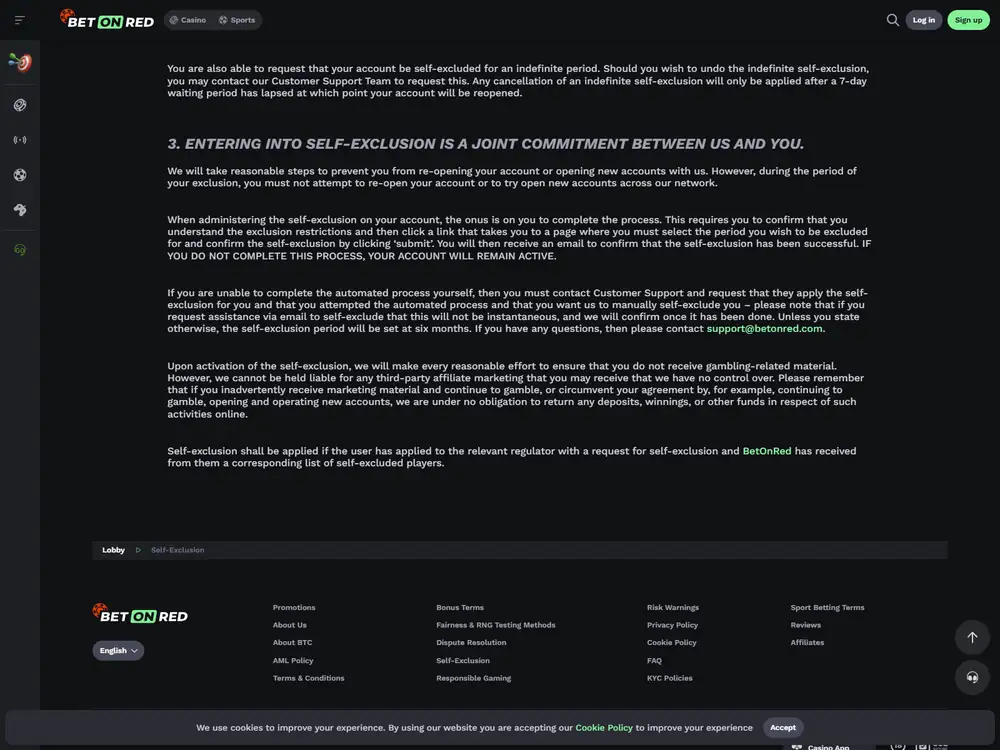
Use self-exclusion if you need to stop gambling. An ordinary account closure request is a different process. The policy provides for a request through the profile or manually through support. Complete the required confirmation steps, because starting an exclusion request alone does not establish that it has taken effect.
If you cannot complete the automated process:
- Contact [email protected] and explain that you attempted the automated procedure and need manual self-exclusion.
- State the period you require. Under the policy, an unspecified manual request defaults to six months.
- Retain the operator's confirmation that the exclusion has taken effect. Avoid further gambling while awaiting that confirmation.
Manual email requests are not instantaneous; consult the responsible gambling guide for the separate limits and exclusion options, and seek independent help if gambling is causing harm.
VIP and standard support
The loyalty matrix distinguishes the dedicated 24/7 support line from Gold 1 and VIP Manager, priority withdrawal processing and higher withdrawal limits from Gold 2; the ordinary Help and email routes are relevant to a standard account.
Operator support versus BetOnRed Opinie
Account, payments, KYC and gaming disputes are managed by the operator, UNO DIGITAL MEDIA B.V. BetOnRed Opinie is an editorial site. It does not create or service player accounts, handle deposits, verify identity, pay winnings or decide gaming disputes. It has no active affiliate links or paid placements.
For a correction to an article, contact Jakub Wiśniewski at [email protected]. You can email in English or Polish at any time. The editorial working window is Monday–Friday 09:00–17:00 Europe/Warsaw, with a target first response within three working days of logging the enquiry, separate from the operator's timetable. Include the material's URL, the specific sentence and your reason for requesting a correction via the editorial contact page.
Which channel is worth using?
BetOnRed customer support merits 6.4/10: the operator advertises 24/7 chat and email, the guest Help interface separates the AI option from contact with a manager, and written complaints have a formal escalation route. Judge the substantive response and the actual account outcome, not just how quickly a bot acknowledges a message.
Use the login and access guide to identify an account-recovery problem first, or keep the transaction or case reference for discussion with the relevant operator channel. Send article corrections to the publisher instead.
FAQ
Can I get help without signing in?
Yes. Open the guest Help panel and choose the AI ChatBot or manager route. The chat form asks for your name and email. You can also send a message to the appropriate operator support address.
Is Live Chat available all day?
The operator advertises Live Chat and email support 24 hours a day, seven days a week. This opening schedule is distinct from the time needed for a substantive staff reply or resolution of a particular matter.
How do I reach a person rather than the AI assistant?
In the Help panel, choose the option to contact a manager. If an AI reply does not address the problem, describe the specific account or transaction issue and request human assistance.
Which email address should I use for a complaint or account closure?
Send formal complaints to [email protected]. For ordinary account closure, the FAQ gives Live Chat or [email protected]. For manual self-exclusion, use [email protected] and request confirmation of activation.
What should I submit about a pending withdrawal?
Include the withdrawal reference, amount, currency and status in Transactions History. Ask whether the operator has approved the withdrawal or whether it is awaiting delivery by the receiving payment provider. Mask unrelated personal or payment details.
Can I submit identity documents through chat?
Use the protected verification area of your account for requested identity documents. If you encounter an upload failure, contact support with the error and document category rather than sending full identity documents through an ordinary chat.
How do I request self-exclusion manually?
Email [email protected] and explain that you need manual self-exclusion because you could not complete the automated process. State your desired duration and retain the confirmation once the operator applies the restriction.
Does BetOnRed Opinie handle disputes about gaming accounts?
No. The operator manages account and payment issues. BetOnRed Opinie handles editorial matters, such as corrections or questions about published information, through its own contact page.